Capabilities
Everything Comm-Piler ships for incident communications planning—from ICS forms, Cal-IFOG FOG City, and the channel library to Pace-Maker, Network Mapper, FreqSeek, Freq-Quest, Standing Team Roster, CachePoint, desk displays, Comm-Panion, helpdesk, and status tools. Cards use scrubbed demo-incident screenshots where we have them; they never show live agency data.
Looking for the product story? Back to Comm-Piler home. Step-by-step Help inventories open after you log in—capability cards below stay on this public page.
Command hub
Start here after sign-in: working-incident snapshot, Training mode, and Comm-Panion paths into every module.
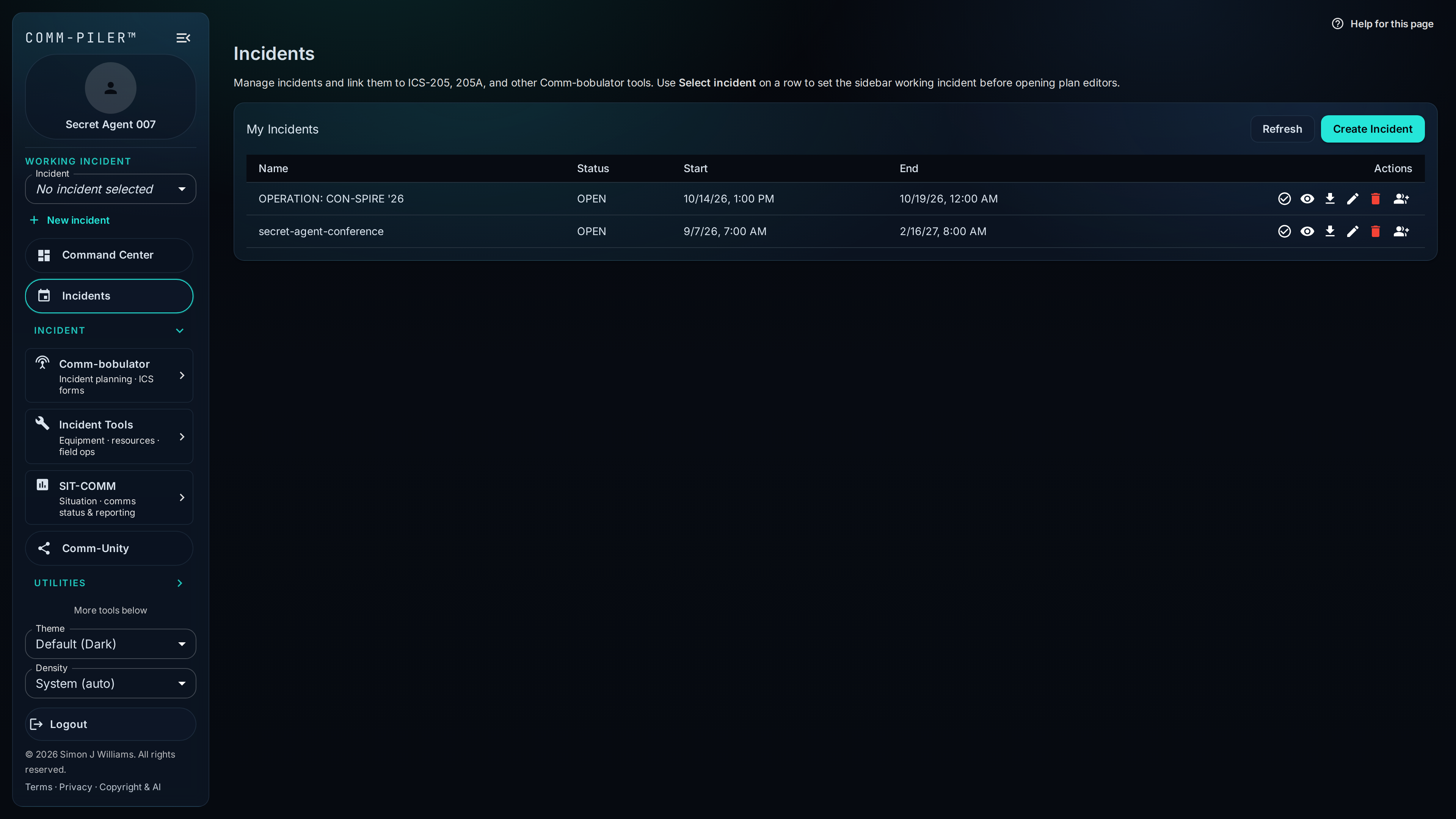
Command Center (Dashboard)
Command Center is the signed-in home screen: your working incident, open plans, COMM-IT tickets, CachePoint checkouts, CarrierWave alerts, and PACE posture in one place. Org-wide stats and a What’s new feed sit underneath so you can jump straight into the work that matters.
Training mode
Flip Training mode in the sidebar to open a private practice incident with guided coaches for ICS-205 and CachePoint. Practice uses sandbox catalogs only—no live inventory, email, or SMS—so new planners can finish a TRAINING-labeled PDF or return a practice cache box before touching real ops data.
Comm-Panion
Mobile companion app alongside the web workspace: create and manage incidents, Standing Team Roster, Comm-Check voting, CachePoint desk checkout and kiosk queue, ICS-201 briefing edits, FOG City, and optional CarrierWave field telemetry—so field staff stay on the same incident without needing a laptop.
ICS plans & incident context
NIMS-style IAP voice, safety, data, and SIT-COMM status products anchored to a working incident and op period.
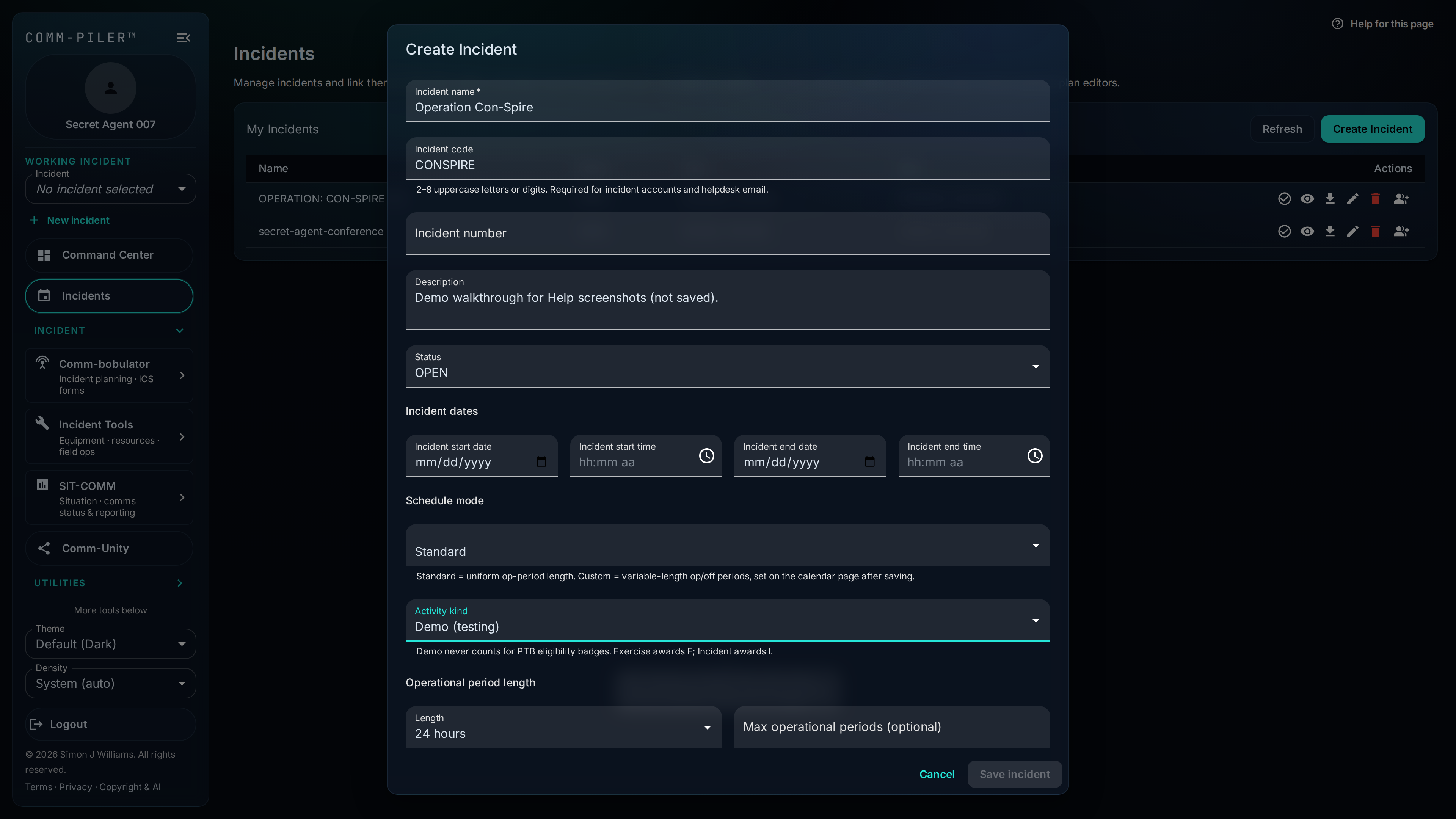
Create Incident
Spin up incident context with name, location, operational periods, and partner access. Everything that follows—ICS forms, helpdesk, CachePoint, COMMSTAT—anchors to that working incident so planners and field users stay aligned.
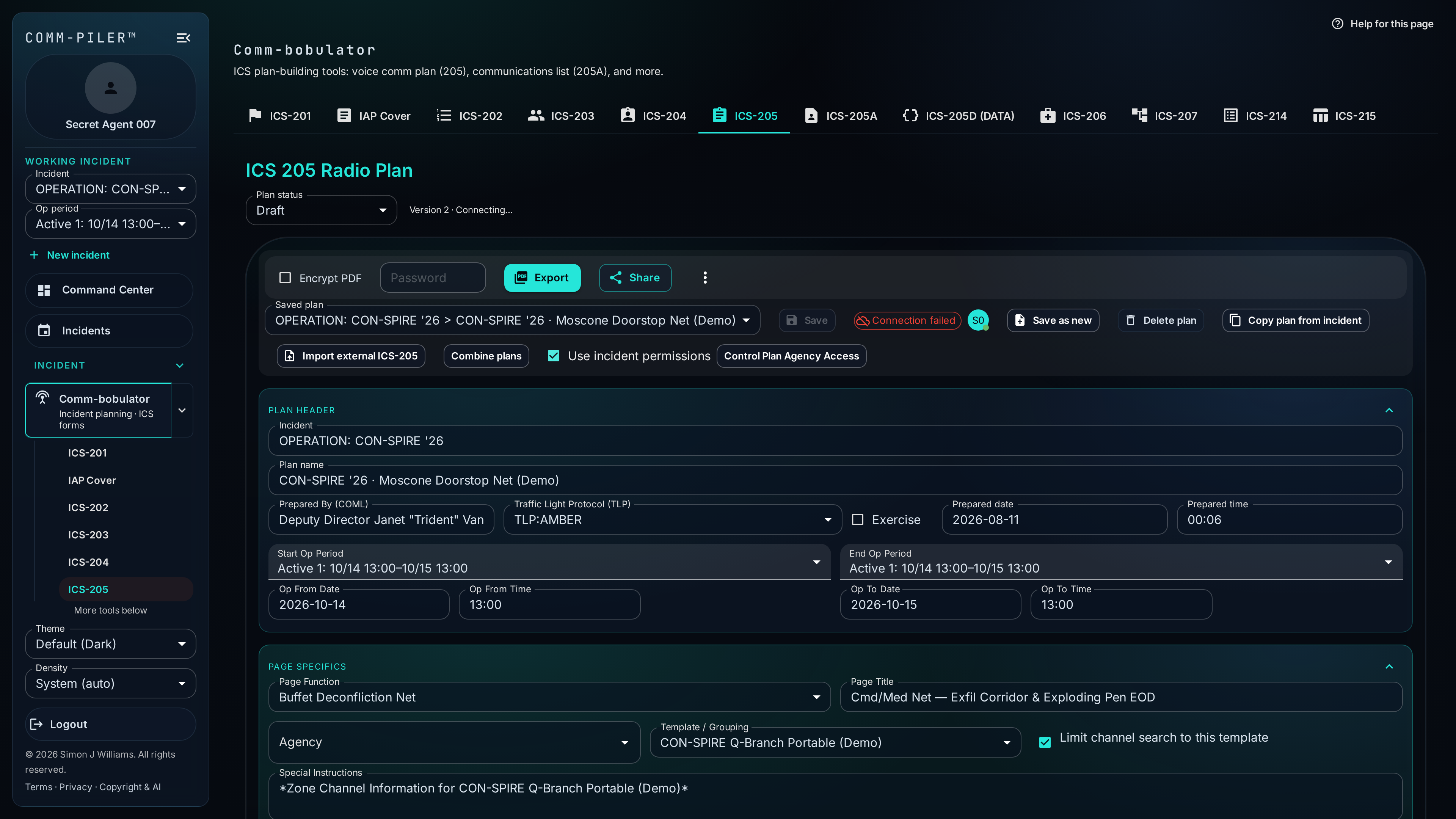
Comm-bobulator
The IAP suite hub for the working incident and op period: ICS-201 through 208/208HM, 214, 215, resource manager, Comm Card, roster, and the Data Plan—plus SIT-COMM products such as ICS-209 nearby. Shared export, Comm-Unity share, and Insert from PACE patterns keep voice and data products consistent.
ICS-205 Communications Plan
Build the incident radio communications plan from your channel library—pick by name or alias, auto-fill RX/TX, tones, mode, and encryption notes, then assign function and assignment. Radio templates populate zone/channel only when the channel exists on the codeplug; otherwise you see an explicit dash, never a guess. NIFOG and Cal-IFOG rows show FOG power and usage requirements with links into FOG City.
ICS-205A Communications List
Produce the ICS-205A Communications List from structured positions, roster contacts, and communication methods. Edits stay tied to the incident so the contact sheet matches who is actually assigned—not a one-off spreadsheet that drifts after the first print.
ICS-208 Safety Message/Plan
Operational-period Safety Message/Plan on the FEMA layout, with a shared pointer to an approved ICS-208HM site safety plan when required—kept in sync with ICS-202 Block 5 so planners do not re-enter the same safety decision twice.
ICS-208HM Site Safety and Control Plan
Site Safety and Control Plan editor with PDF export. ICS-208 and ICS-202 point at the approved document so the IAP suite agrees on whether a site safety plan is required and where it lives.
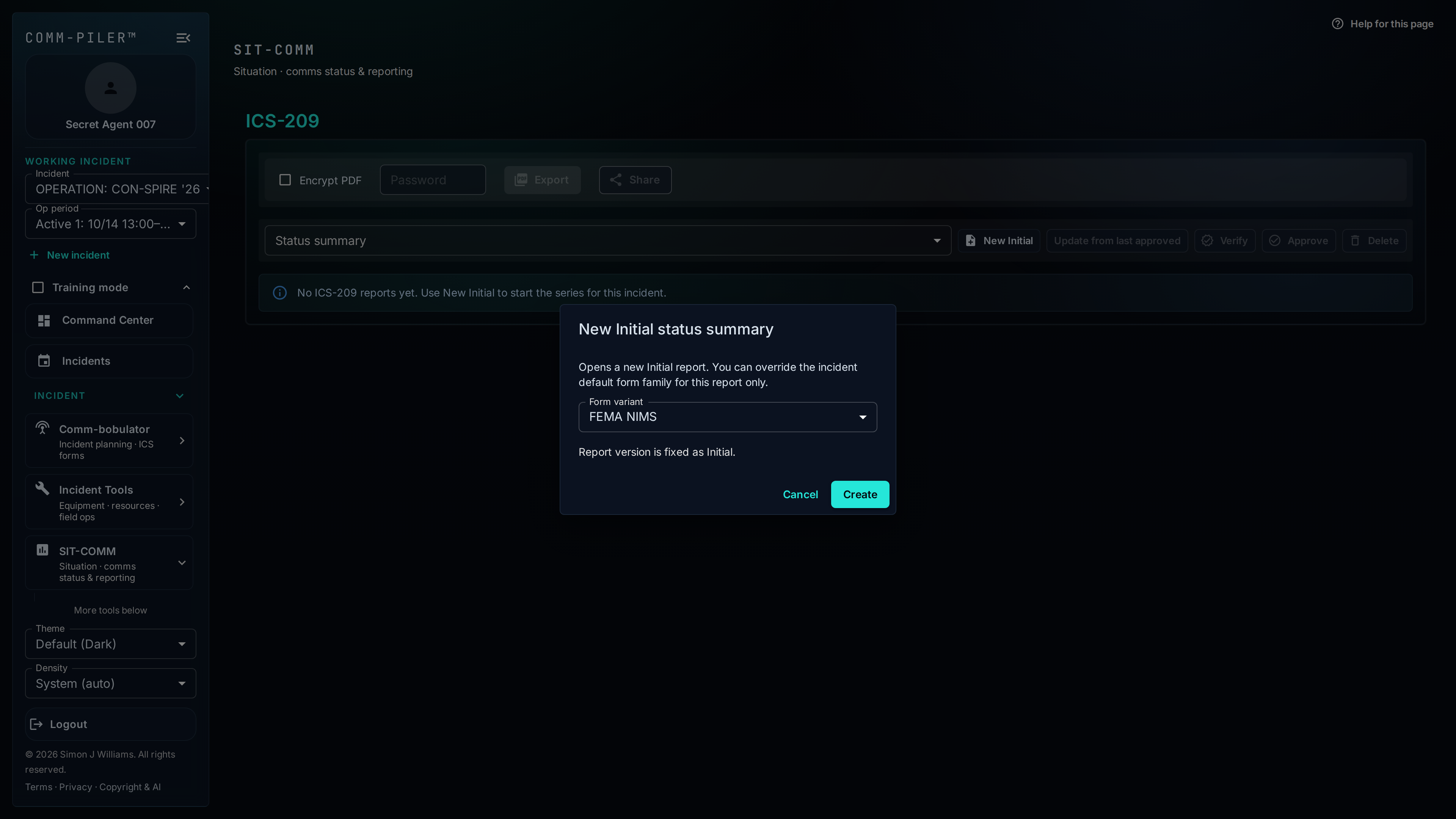
ICS-209 Incident Status Summary
SIT-COMM incident status summaries: file Initial, Update, and Final reports in FEMA NIMS or NWCG wildland format. Collaborate on drafts, import resources from ICS-204, use Comm-Scribe assist on narratives, then verify, approve, export, and share—approved reports freeze and seed the next update.
ICS 205-Data (Data plan)
ICS 205-Data style editor for non-voice communications: carriers, links, IP/VLAN notes, platforms, and related IT/comms assets across pages. Validate, export PDF, share via Comm-Unity, and pull data-track rungs from Pace-Maker with Insert from PACE.
PACE doctrine & dependencies
Primary / Alternate / Contingency / Emergency planning, infrastructure inventory, and network dependency maps.
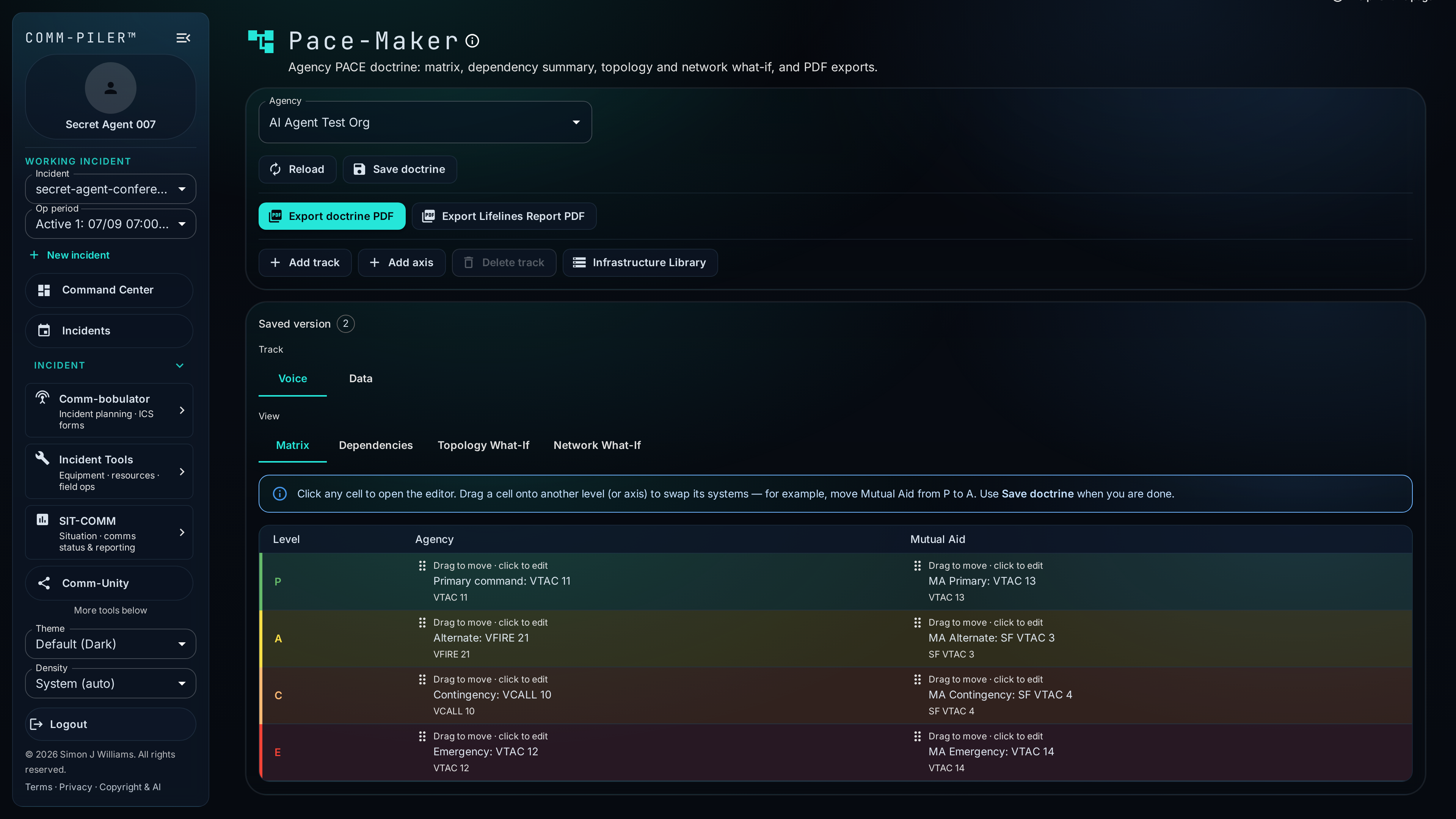
Pace-Maker
Pace-Maker holds agency PACE doctrine—Primary, Alternate, Contingency, Emergency—for voice and data tracks. Matrix cells reference Infrastructure Library systems and voice library items; dependency summaries and what-if views show what breaks when a path goes down. Export doctrine and lifelines PDFs, and push selected rungs into ICS-205 or the Data Plan.
Infrastructure Library
Infrastructure Library is the durable inventory behind PACE and data planning: sites, microwave, fiber, cellular, satellite, Wi-Fi, phone trees, network domains, Fixed RF / reservable gear for Freq-Quest, and more. Model AND/OR/K-of-N dependency groups so redundancy is explicit, then reuse the same records in Pace-Maker, Network Mapper, and incident Data Plans.
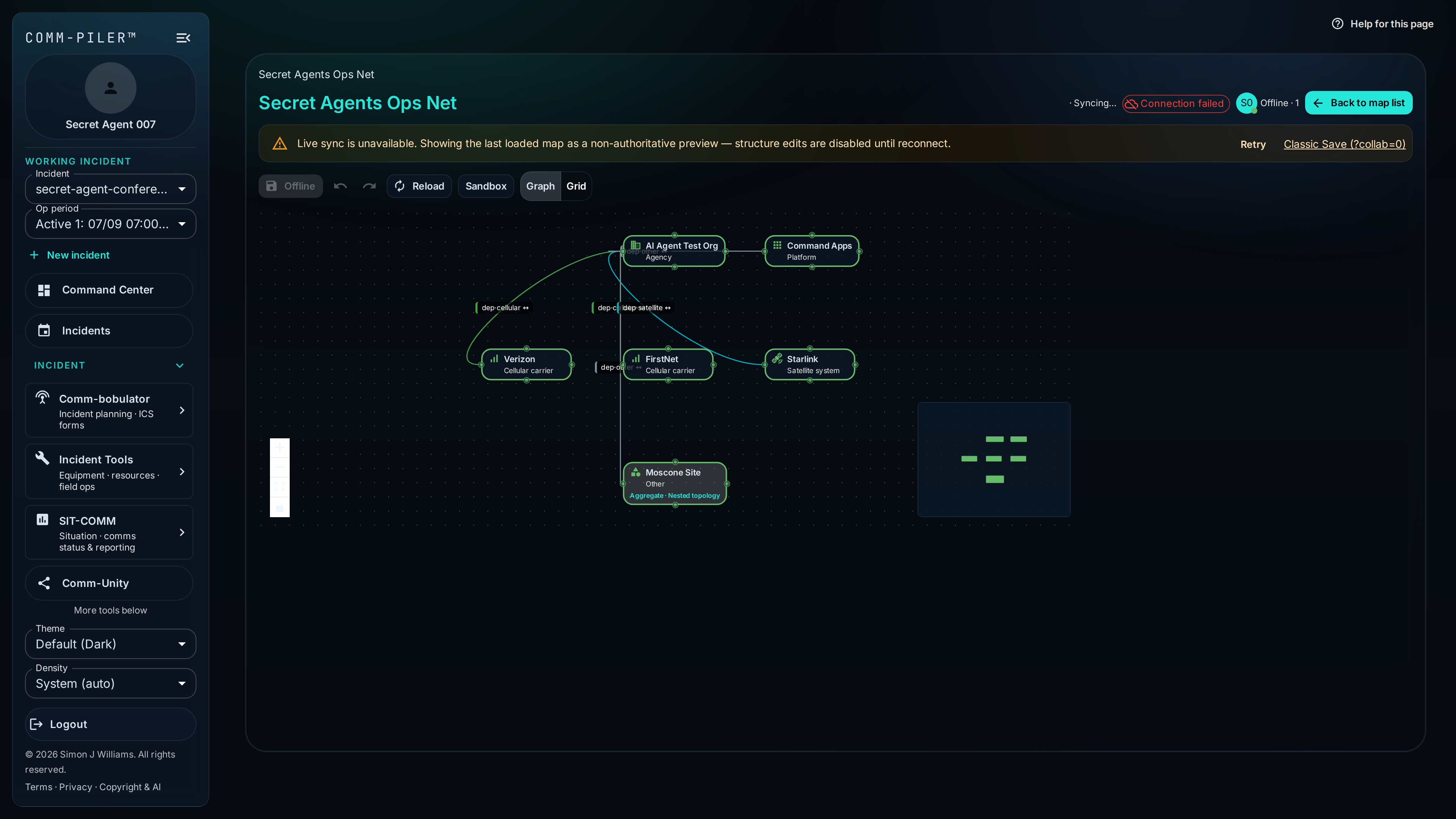
Network Mapper
Author reusable dependency maps—carriers, platforms, agencies, power, and nested topologies—once, then import them into incidents. Outages and what-if sandboxes cascade through Supports links so CarrierWave and Pace-Maker what-if stay grounded in how your network actually depends on itself.
Platform Library
Standing catalog of responder app-layer platforms—standard entries plus your org’s custom additions—used by Platform Tracker and Network Mapper so outage and dependency work names the same systems everyone recognizes.
Channel library & templates
Structured inventory—aliases, interop catalogs, zones, agencies, and apparatus—that feeds the ICS forms.
Channel Guide
Searchable master view of conventional frequencies and trunked talkgroups—the same inventory the ICS-205 and other planners consume. Filter by kind, owner agency, NIFOG, CA 217A, and name/alias. Org admins can flag interop channels and pin NIFOG-class rows so mutual-aid partners discover full RF programming fields without opening private library data.
Agencies
Maintain agency records that own channels, templates, contacts, and infrastructure. Clear ownership keeps library shares, mutual-aid access, and plan attribution understandable across multi-agency incidents. Interop catalogs on agency profiles let partners pull curated channels into ICS-205 when that agency is on the Mutual Aid list.
Contacts
Agency contact roster used by ICS-205A and other IAP forms—phones, email, sat, and related methods in one place. Find published agency COMLs, share a public intake link to collect contact information, and keep communications lists consistent with the people you actually call.
Resources
Agency apparatus and field-unit catalog (engines, crews, designators) for ICS assignment and resource forms. Deploy into an incident resource registry without retyping the same unit data for every operational period.
Templates
Org-owned radio template workspace: import Motorola CPS XML or Bendix layouts, review zone/channel grids, and share templates across your organization. Imports can add searchable aliases with zone slot numbers stripped. ICS-205 uses these mappings for zone/channel hints without rewriting the plan’s channel identity; the template validator can flag programmed power that exceeds Cal-IFOG FOG limits.
Agency Interop Report
Compare selected agencies’ radio bands, NIFOG Has/Missing coverage, other shared template channels, and prior ICS-205 channel use. The report leads with each org’s published interop catalog so mutual-aid planning starts from what partners are willing to share—not a scavenger hunt through private libraries.
Zone Assignments
Browse and maintain zone/channel assignments for operational templates. Spot gaps before programming, and keep the relationship between incident plan channels and codeplug slots visible to the COMT.
Licensing, interop & geographic intel
FCC lookups, tower identify, coverage maps, FOG City, and interop reservation workflows.
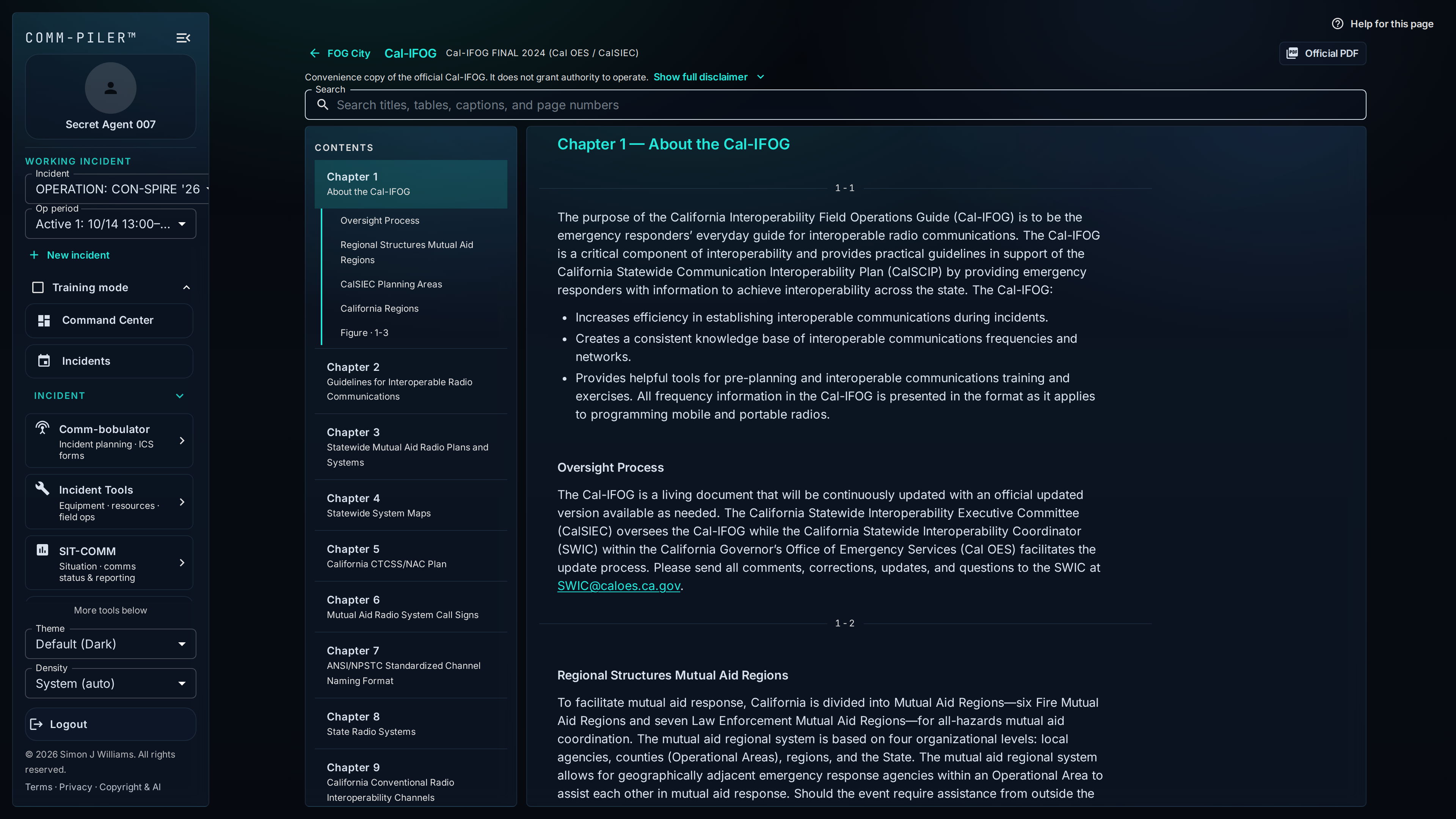
FOG City
Signed-in structured reader for Cal-IFOG (and related field operations guides): contents, search across titles and channel names, folio marks, and a link to the official Cal OES PDF. Pair it with FOG requirement chips on ICS-205 and the Motorola template validator so power and usage notes stay in front of the COMT.
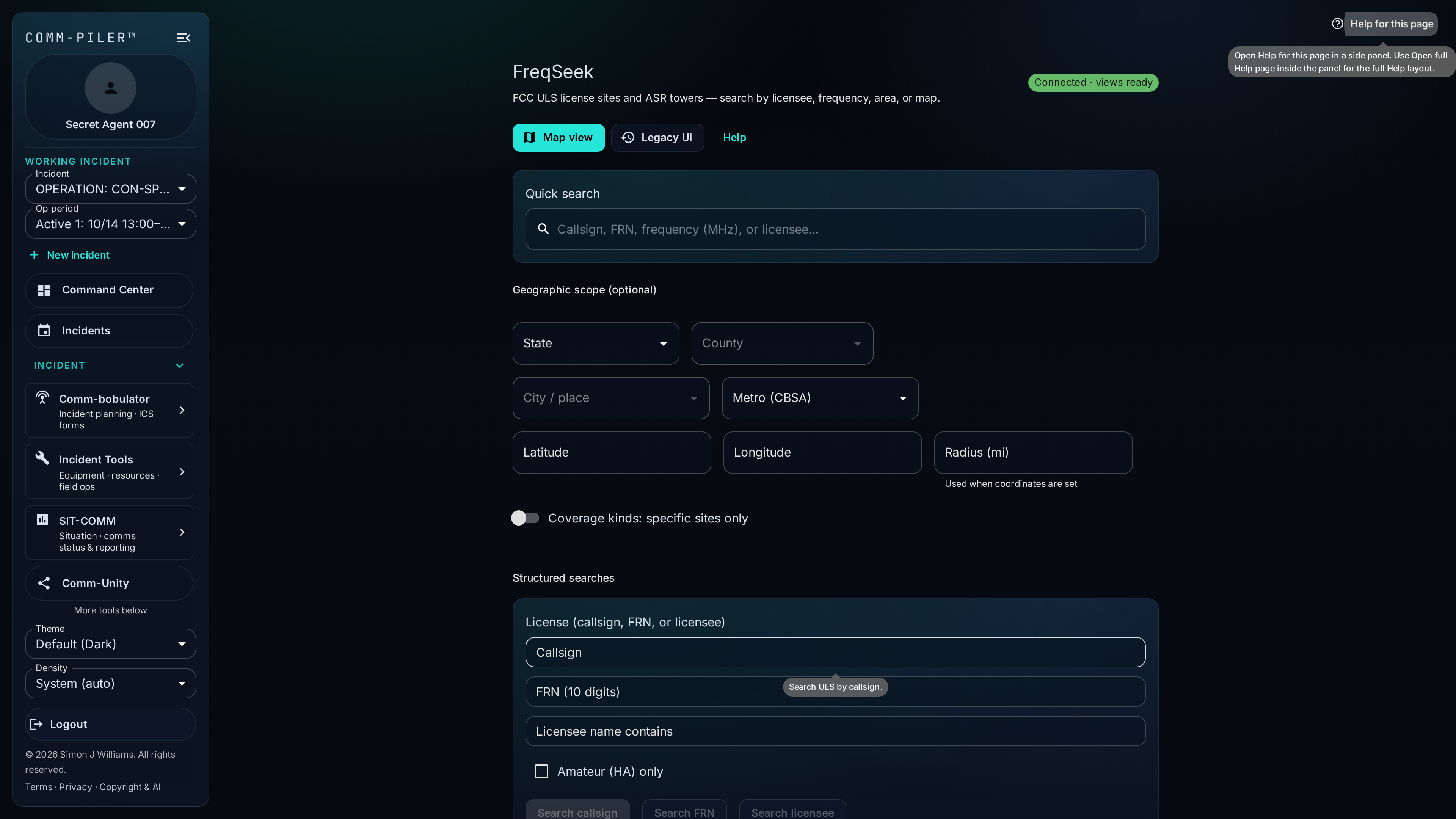
FreqSeek
Search FCC ULS and ASR tower data by frequency, range, licensee, and geography. Use radius, state/county, and related filters—plus options such as excluding nationwide mobiles—to support deconfliction and defend assignments with licensing context.
TowerIntel — unified Identify
Unified Identify for a map point or tower: owner, land manager, co-located licensees, cellular footprint, public-safety context, and your custom layers in one structured drawer—so “what’s on this site?” has a single answer inside FreqSeek.
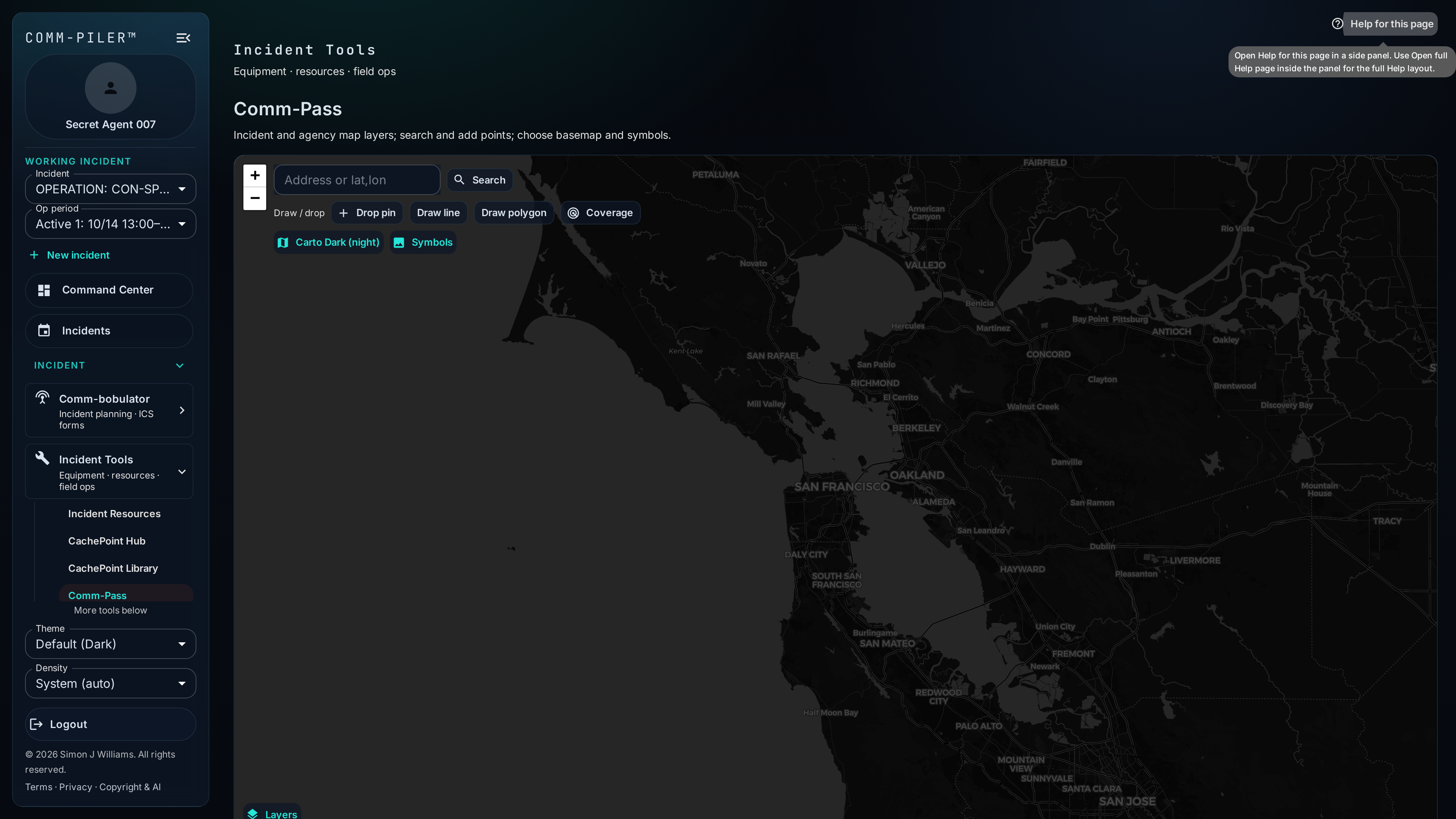
Comm-Pass
Map-oriented view of communications infrastructure, equipment, and incident command layers. Use it alongside FreqSeek and the infrastructure catalog when geography matters as much as the frequency list.
Freq-Quest
Interop coordination workspace: Status Board for free / in-process / reserved channels, Shared Resources by site (fixed infrastructure vs CachePoint deployables), Reservations ledger, and Map footprints. Submit multi-line frequency requests for coordinator review with overlap advisory and incident-aware routing.
Publishing & collaboration
Controlled sharing when plans need to leave the editing session.
Comm-Unity
Share plans and exports through password-protected links and QR cards. Recipients get controlled access without a full Comm-Piler account, while you keep auditability on what left the editing session. Desk displays can push an existing share QR to e-paper at the Comm Unit desk.
Imports, logistics & ops tools
Data onboarding, Standing Team Roster, radio cache, desk displays, helpdesk, outage watch, cutover checks, and status reporting.
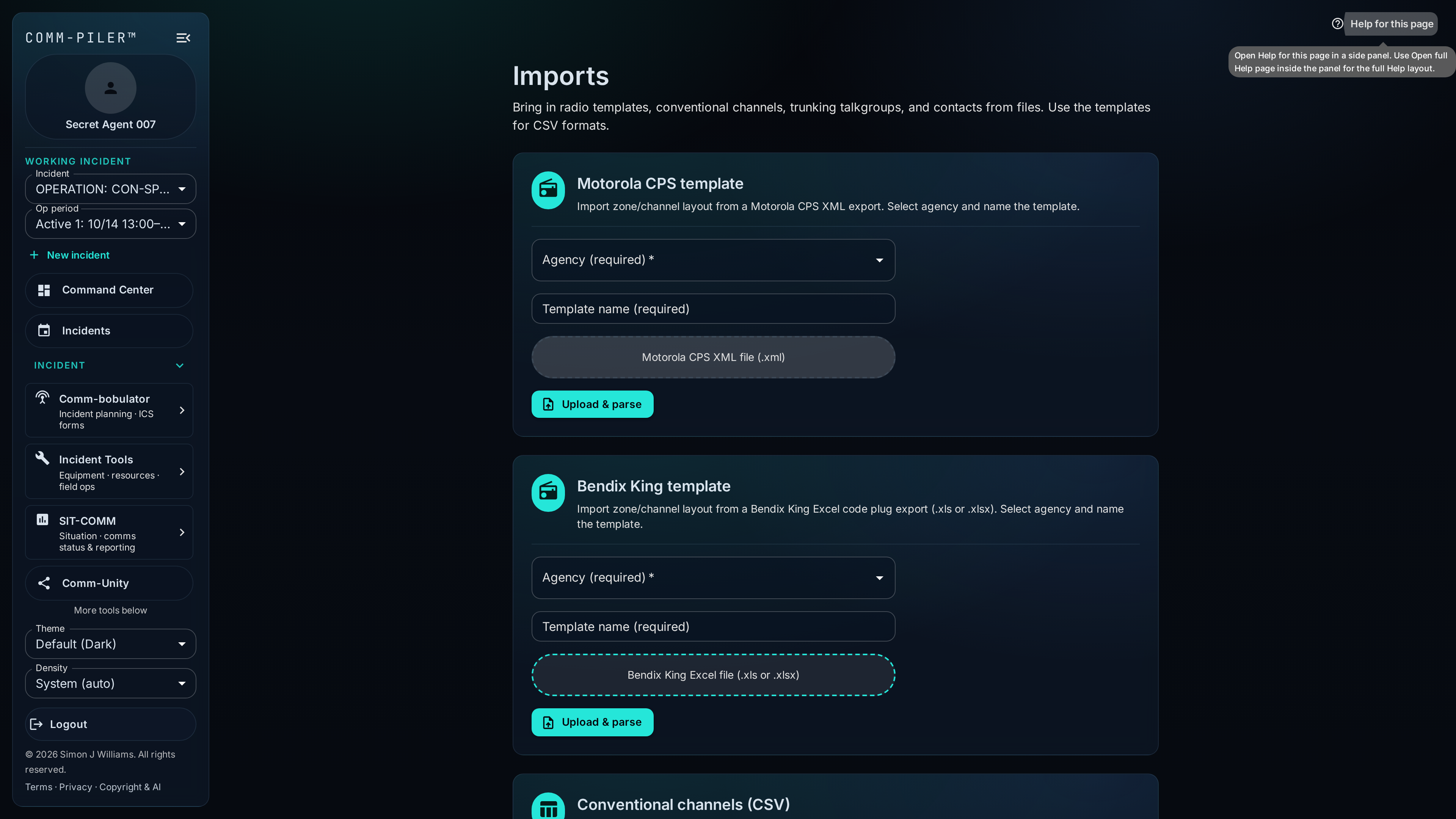
Imports
Bring Motorola CPS XML, Bendix King Excel, CSV channel data, and other staged workbooks into the library. Review errors, trim unused entries, and land structured records instead of pasting into a disposable sheet.
Tools
Operational utilities hub—Comm-Check cutover runbooks, Standing Team Roster, FOG City, Cross Talk programming converters, CommPoser messaging, and other planner/tech tools that do not live in the IAP form strip but still run against your org or working incident.
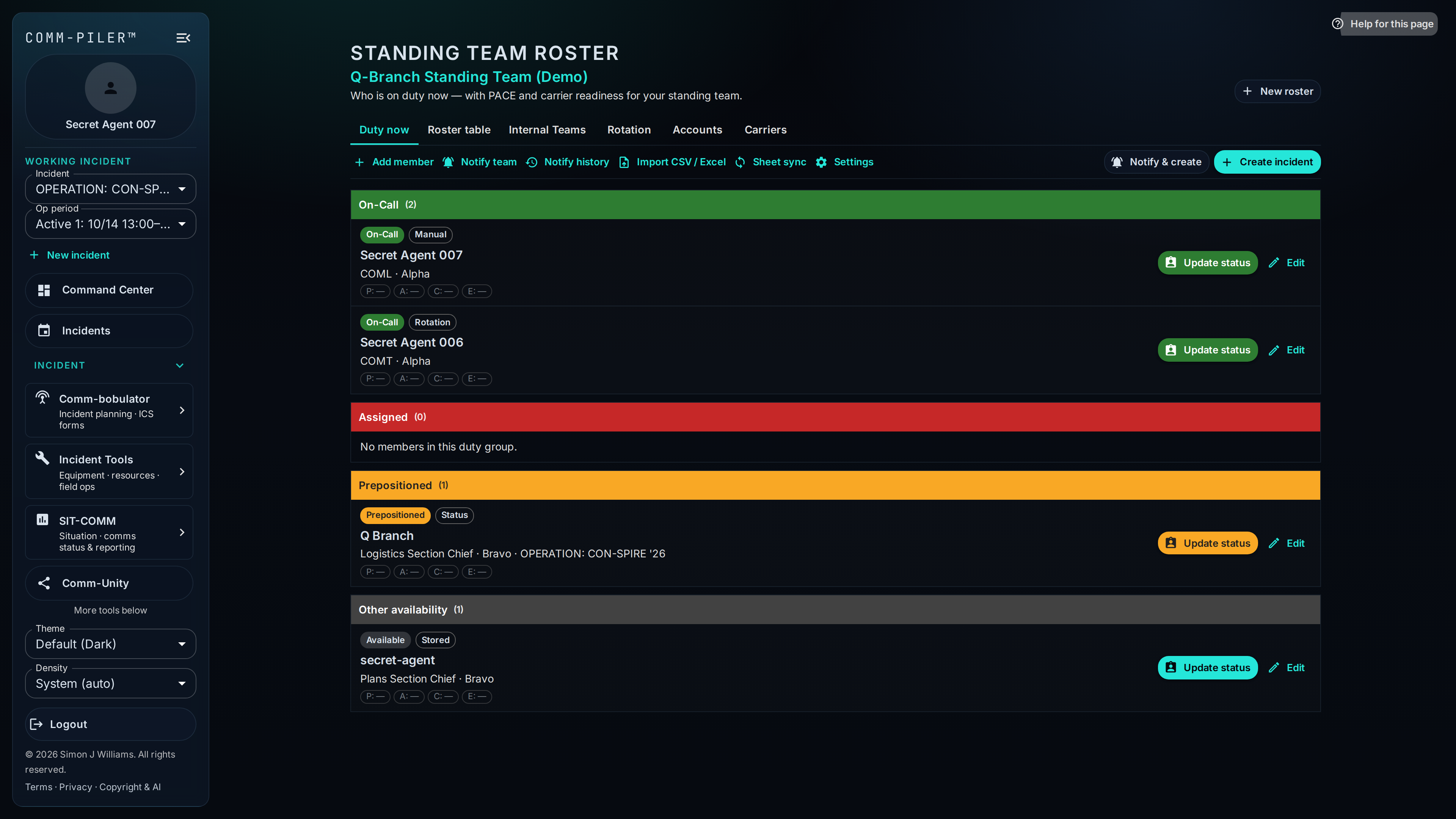
Standing Team Roster
Org-level IMT/EOC duty roster separate from the incident Roster: Duty now, rotation, carrier concentration, CSV or Google Sheets sync, roster-only logins, and notify/poll call-outs by email or SMS (with STOP-aware consent). Spin Yes answers into a new incident when you mobilize.
Comm-Check
Linear go/no-go and informational runbooks—incident optional—with org templates, stakeholder voting (including mobile/Comm-Panion), audit trail, external links, PDF timeline export, and safe draft deletion. Use it when you need documented agreement before flipping a network or channel plan—not hallway consensus.
CommPoser (ICS-213 & ICS-213 RR)
Compose ICS-213 and ICS-213 RR style messages with incident context, then export or share. Keeps general messaging inside the same incident workspace as the rest of the IAP suite.
Cross Talk
Convert radio programming data between Bendix King workbooks, Motorola CPS channel-layer XML, and saved ICS-205 plan snapshots. Cross-Talk 2 synthesizes zone/channel layouts with CPS-safe names and power tiers so COMTs move codeplugs without rebuilding grids by hand.
Incident workspace
Incident-scoped shared notes and document uploads with access-controlled downloads. Park briefing packets, SOPs, and working files next to the plans instead of scattering them across personal drives.
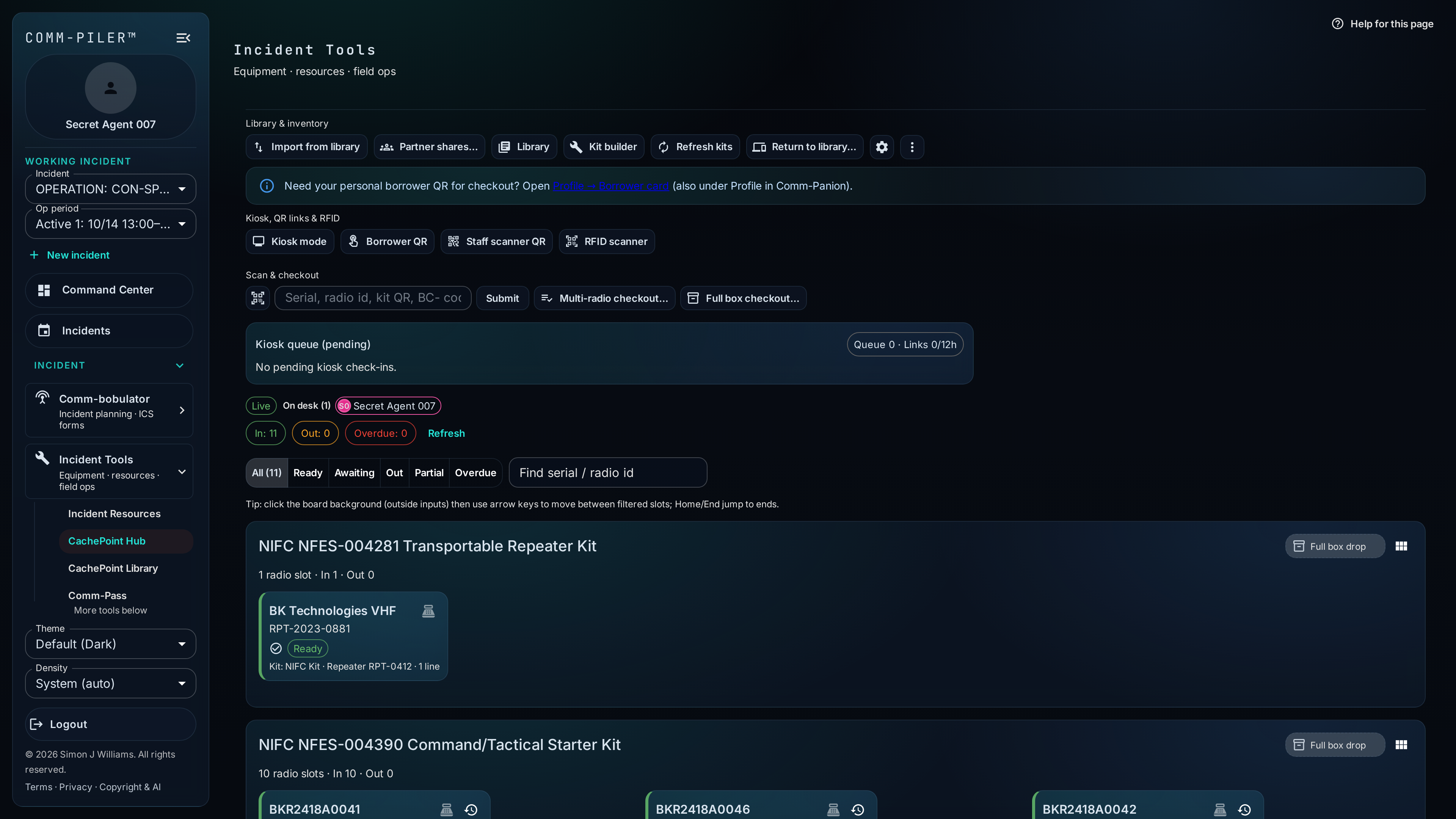
CachePoint
Radio and kit logistics for the incident: library inventory, kit builder (accessories from the same cache box), RFID/scan flows, kiosk/QR checkout, unified Incident ID cards, and loan tracking. Desk and field views—including Comm-Panion—keep the cache honest when equipment leaves for the line.
Desk displays (e-paper QR)
Claim org-owned e-paper placards onto the working incident and push CachePoint kiosk, helpdesk, or Comm-Unity share QR codes to the glass. Flash firmware from the browser, provision field Wi-Fi (SoftAP or Comm-Panion over BLE), and let content updates come from the cloud until the incident closes.
ICS-211 Check-In
Capture personnel and equipment check-in per location with grid or kiosk entry, Incident ID scan, and FEMA/NWCG PDF export—so accountability at ICP and camps stays in the same incident workspace as the rest of SIT-COMM and CachePoint.
CarrierWave (comms outage watch)
Comms outage watch for the incident: enable monitoring, triage open alerts, report field outages, collect Comm-Panion field telemetry, and escalate into helpdesk when needed. Ties carrier/platform impact into the same workspace as COMMSTAT and Network Mapper dependencies.
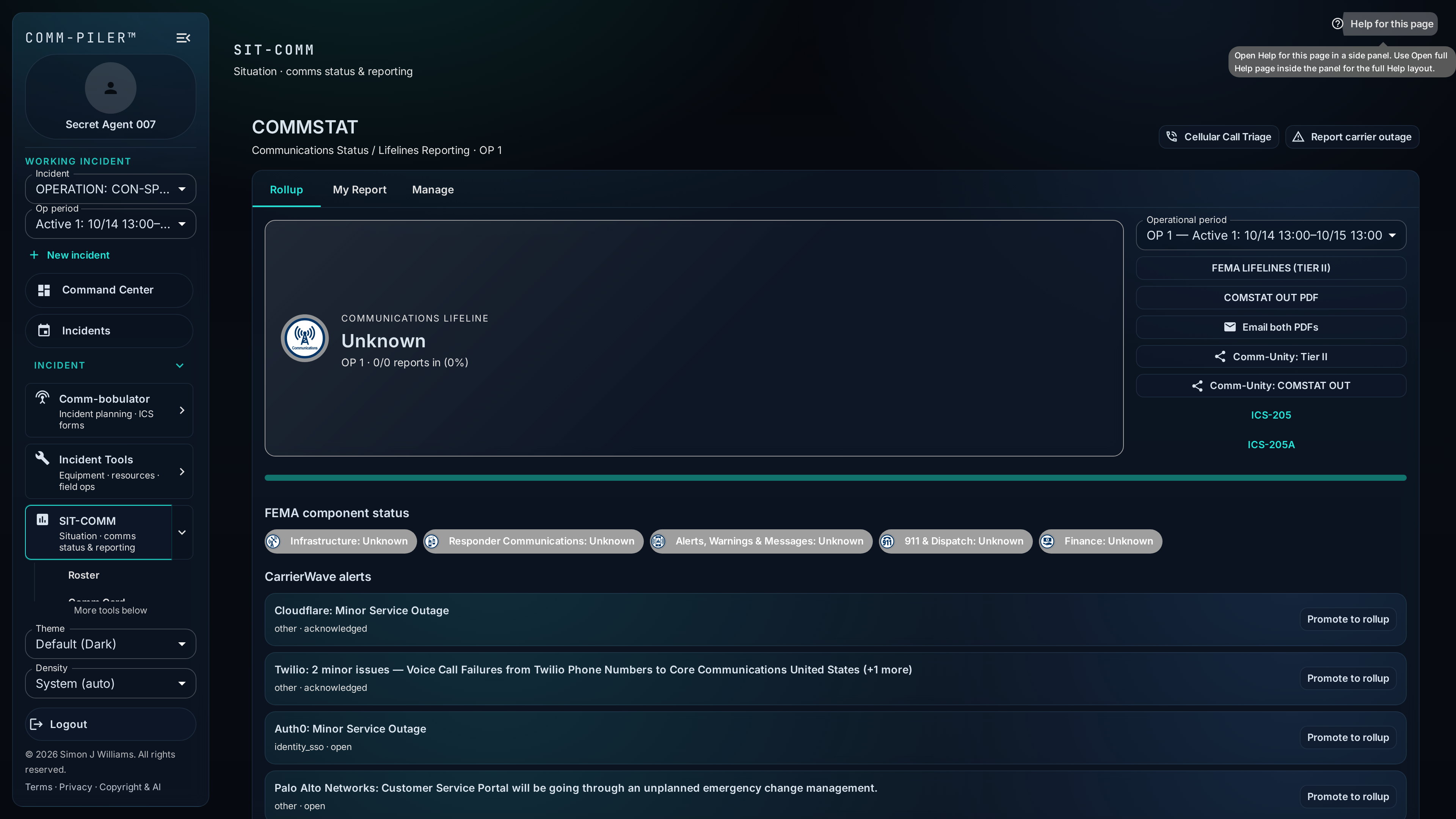
COMMSTAT (Communications Status / Lifelines)
Collect communications-status reports by FEMA lifeline lane from units, agencies, and carriers, then roll them up (worst status wins) into one incident sitrep with dashboard views and PDF exports for the operational period.
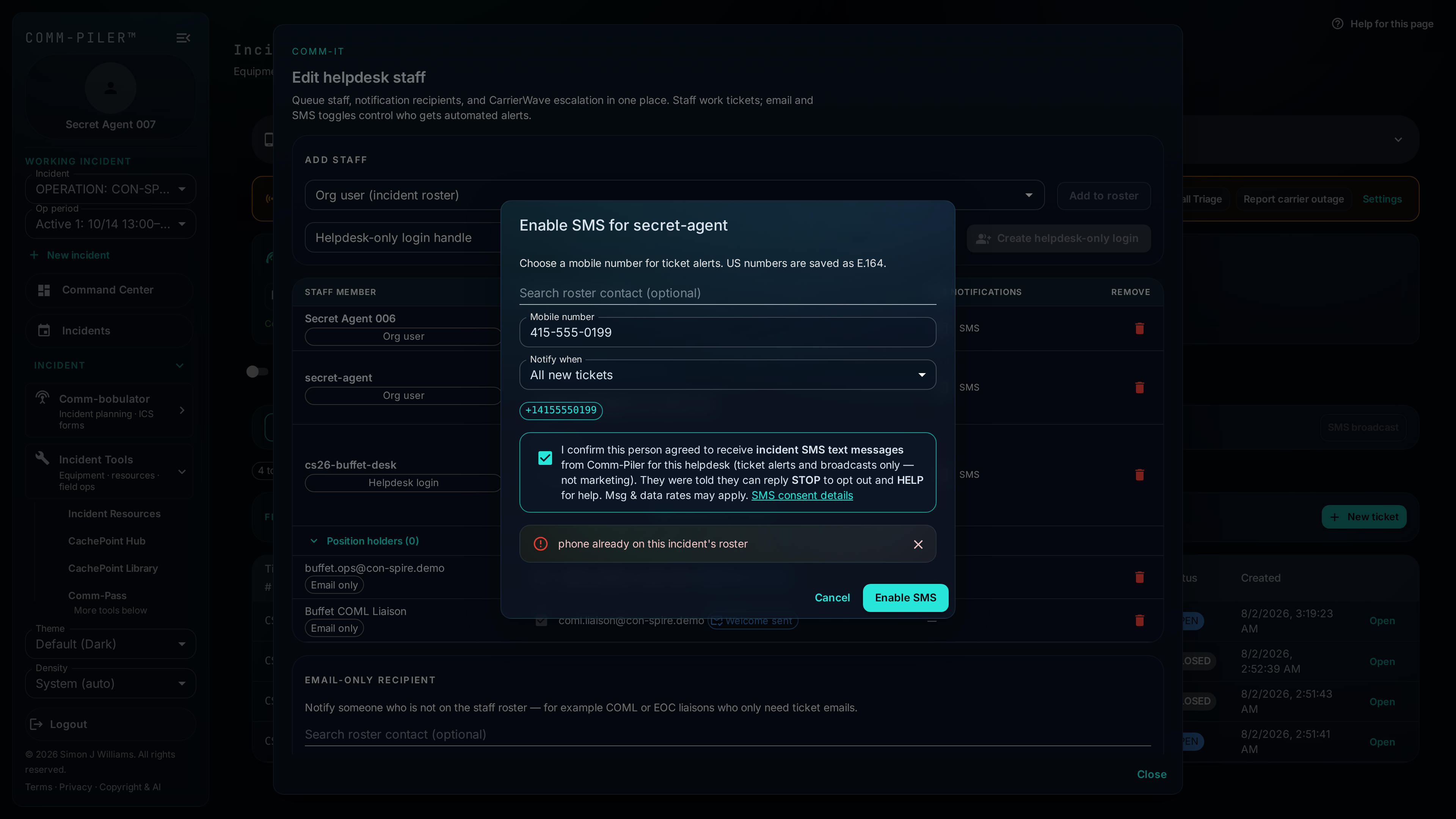
COMM-IT (Incident Help Desk)
Incident helpdesk for ITSL/ICT-style tickets: open, assign, track, and close issues tied to the working incident—including replies that land on Community@ mail when the helpdesk is open. Command Center shows open-ticket snapshots so planners see support load next to plan status.
Agency Radio Fleet
Everyday org radio and serialized equipment inventory — radios, accessories, phones, repeaters, shop stock — with home assignment, IDs, and fleet↔CachePoint pool moves.
Organization & access
Roles, memberships, and administration for multi-agency use.
Admin Tools
Organization and access administration: users, memberships, roles/capabilities, mutual-aid style grants, and related controls. Operational data stays scoped by org and incident—not a flat shared folder of everyone’s plans.